


DA Integra's Only


Honda-Tech Member
Joined: Mar 2009
Posts: 66
Likes: 0
 Re: DA Integra's Only
okay regardless if it was a stupid pick up or not, im still going along with this. no markings of s2 on the cams or even crower. definitely does not look like stock cams as I was told that at the distributor end of the cam there would be a grove which it does not have. I cant figure out what cams these are, maybe somebody could help? heres pictures..


Honda-Tech Member
Joined: Feb 2008
Posts: 828
Likes: 0
From: erie, pa

Honda-Tech Member
Joined: Apr 2008
Posts: 8,958
Likes: 0
From: In The Sticks, PA, America
Re: DA Integra's Only
man, you guys can keep your snow! lol. i still need new tires for my daily before we get snow. but similar weather here today as well. warm/rainy all day. now wind like crazy


Honda-Tech Member
Joined: Jun 2006
Posts: 1,477
Likes: 1
From: SLC UT/PHILLY

Honda-Tech Member
Joined: Dec 2004
Posts: 2,429
Likes: 2
From: B.C. Canada


Honda-Tech Member
Joined: Oct 2010
Posts: 198
Likes: 0
From: Bellevue

Honda-Tech Member
Joined: May 2009
Posts: 363
Likes: 0
From: Northwest, WA
Re: DA Integra's Only
I don't think he's referring to just turning them on via the switch, I'm pretty sure he means just the fogs themselves (without the main lights on).
It's a real easy modification, you have to re-wire them. There's a Teg-Tips section on G2IC that explains how to cut and splice the fog light switch wire into the rear defroster wire, but some have difficulty with it and mess it up.
The easiest was if to rewire it straight to one of the five free pins located on your fuse box. Here's the G2IC walk through on how to do it:
http://forums.g2ic.com/showthread.ph...ck-panel-fuses
If you're lazy and find that searching on another forum is too troublesome, here's what I remember off the top of my head:
• Remove the dash bezel
• Pop the fog light switch out
• Cut the red wire with the yellow streak in it about two inches from the back of the fog light switch
• Splice (via butt connectors) a wire size of your choice to the end of that red/yellow wire you cut
• Tape off, with electrical tape, the end of the wire you cut which will not be used
• Attach a female pin connector to the end of your wire
• Plug it into the desired pin you want. Here's the info on that (taken from the G2IC link):

*A provides a constant 12v
*B provides 12v with parking/indicator lights
*C provides a constant 12v, has its own circuit and uses fuse 13
*D provides 12v when switch is on “accessory” and on
*E provides 12v when ignition is “on”
ALSO, it is recommended to add a mini-fuse holder and equip them with 3A fuses to power the lights better. You can pick them up at any Radio-shack or electronic appliance store. You can probably pick up everything you need listed here. It just splices in between your other wire.
SWITCH ---> Butt connector ---> Wire ---> Butt connector ---> Wire with included mini fuse holder ---> Female pin connector ---> FUSE BOX
The easiest was if to rewire it straight to one of the five free pins located on your fuse box. Here's the G2IC walk through on how to do it:
http://forums.g2ic.com/showthread.ph...ck-panel-fuses
If you're lazy and find that searching on another forum is too troublesome, here's what I remember off the top of my head:
• Remove the dash bezel
• Pop the fog light switch out
• Cut the red wire with the yellow streak in it about two inches from the back of the fog light switch
• Splice (via butt connectors) a wire size of your choice to the end of that red/yellow wire you cut
• Tape off, with electrical tape, the end of the wire you cut which will not be used
• Attach a female pin connector to the end of your wire
• Plug it into the desired pin you want. Here's the info on that (taken from the G2IC link):
*A provides a constant 12v
*B provides 12v with parking/indicator lights
*C provides a constant 12v, has its own circuit and uses fuse 13
*D provides 12v when switch is on “accessory” and on
*E provides 12v when ignition is “on”
ALSO, it is recommended to add a mini-fuse holder and equip them with 3A fuses to power the lights better. You can pick them up at any Radio-shack or electronic appliance store. You can probably pick up everything you need listed here. It just splices in between your other wire.
SWITCH ---> Butt connector ---> Wire ---> Butt connector ---> Wire with included mini fuse holder ---> Female pin connector ---> FUSE BOX
Honda-Tech Member
Joined: Dec 2004
Posts: 2,429
Likes: 2
From: B.C. Canada
Re: DA Integra's Only
I've always done it using the rear defog switch. It's still fused correctly and your just powering the switching side of the relay that's part of the switch. Many get confused on what side of the red/yellow strip wire to use as the tap. But honestly it's a "no brainer"
While your in there fix your climate control selection lights that are probably not working. lol it's something I always do while I'm doing it.
While your in there fix your climate control selection lights that are probably not working. lol it's something I always do while I'm doing it.
Re: DA Integra's Only
I never did that mod because it's pretty pointless to hack up your harness to have fog lights on by themself. Never understood why people do that.

Honda-Tech Member
Joined: Dec 2004
Posts: 2,429
Likes: 2
From: B.C. Canada
Re: DA Integra's Only
It's nothing major and when done correctly any wiring mod can be a "non hack"
To each their own, but I personally rock it with all my local DA members here.
Got my rear filler piece for the sedan. Couple steps closer to getting some body damage things fixed on it. Paint won't get done till late spring.

And new power antenna mast. Finally can enjoy the radio without listening to grinding and the mast being stuck permanently half way up lol

To each their own, but I personally rock it with all my local DA members here.
Got my rear filler piece for the sedan. Couple steps closer to getting some body damage things fixed on it. Paint won't get done till late spring.

And new power antenna mast. Finally can enjoy the radio without listening to grinding and the mast being stuck permanently half way up lol

Honda-Tech Member
Joined: May 2009
Posts: 363
Likes: 0
From: Northwest, WA
Re: DA Integra's Only
No problem man, I hope this helps you out. Let me know if you have anymore questions.
I did it because I like that fact that I can drive with some "lights" on during the evening/early morning without having all of my lights on. Plus it sets the G2's apart from the crowd, at least here in WA.
I did it because I like that fact that I can drive with some "lights" on during the evening/early morning without having all of my lights on. Plus it sets the G2's apart from the crowd, at least here in WA.
Last edited by OldskoojdmDA9; Jan 18, 2012 at 11:32 PM.



Honda-Tech Member
Joined: Feb 2010
Posts: 834
Likes: 1
Re: DA Integra's Only
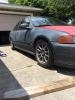
My custom made camera stand for my da/db.
http://www.flickr.com/photos/alwaysinvtec/6727705511/http://www.flickr.com/photos/alwaysinvtec/6727705511/ by http://www.flickr.com/people/alwaysinvtec/, on Flickr
http://www.flickr.com/photos/alwaysinvtec/6727705511/http://www.flickr.com/photos/alwaysinvtec/6727705511/ by http://www.flickr.com/people/alwaysinvtec/, on Flickr
