


Screen in Dash!


Joined: Jan 2005
Posts: 4
Likes: 0
From: Vancity

For those who installed the screen behind the fiberglass and have no remote. How have you dealt with accessing the buttons. The screen I bought has no compatible remote and I want to have access to all the buttons. NE suggestions???

Do it right the first second time!


Joined: Jun 2003
Posts: 1,910
Likes: 1
From: Michigan
Re: (crwong)
I had to bump this because it is such a sweet ******* mod 
Did anyone who was talking about doing it actually do it? I am searching around for monitors right now and will hopefull have this project started soon.
Did anyone who was talking about doing it actually do it? I am searching around for monitors right now and will hopefull have this project started soon.


Joined: Jul 2005
Posts: 111
Likes: 0
From: Birmingham, England
Re: (vtech22)
Hey guys, have just found out the screen in my JDM vtec si, is OEM wow, I ddnt even know it was a TV. Had no idea this would come stock in a 94 car. Would people like pics of how the original dash had plastic fitted, cutout etc on reverse side? Also I need to know how to connect and get the TV working, there are 2 connections coming from it, and a small controll box with 2 dials, both labeled in japanese. Will post pics up soon.
Pez
Pez


Honda-Tech Member
Joined: Mar 2001
Posts: 5,695
Likes: 0
From: DFW, USA
Re: (preludemonty)
<TABLE WIDTH="90%" CELLSPACING=0 CELLPADDING=0 ALIGN=CENTER><TR><TD>Quote, originally posted by preludemonty »</TD></TR><TR><TD CLASS="quote">Just a pic of my tv's in case anyone was interested:

</TD></TR></TABLE>
Not feeling the location of the top screen, but the bottom one looks good
</TD></TR></TABLE>Not feeling the location of the top screen, but the bottom one looks good


Honda-Tech Member
Joined: Oct 2000
Posts: 7,126
Likes: 1
From: Culpeper, VA
Re: (CFran55)
I can't believe I'm allowing this to stay open.. Congrats on the good discussion.
I can't believe I'm about to say it, but that looks pretty good!
Corey - who hates "showcazs"
I can't believe I'm about to say it, but that looks pretty good!
Corey - who hates "showcazs"
Guest
Posts: n/a
Re: (Honda318dx)
Id like to do this to, But what kind of screen do I need? Do I just by a flat panel 5" LCD screen and throw it in there?
I saw just a screen itself on ebay..it had no *****/controls at all...would something like that work or what?
I saw just a screen itself on ebay..it had no *****/controls at all...would something like that work or what?


Honda-Tech Member
Joined: May 2003
Posts: 631
Likes: 0
From: Brisbane, QLD, Australia
For those who have done this, a quick question.
How did you seperate the clear/tinted plastic from the black backing piece? what did you use?
Could someone post up some pictures showing the seperation?
Is there a consensus on the best way to seperate the 2 pieces of plastic?
How did you seperate the clear/tinted plastic from the black backing piece? what did you use?
Could someone post up some pictures showing the seperation?
Is there a consensus on the best way to seperate the 2 pieces of plastic?
Honda-Tech Member
Joined: May 2003
Posts: 631
Likes: 0
From: Brisbane, QLD, Australia
To confirm.
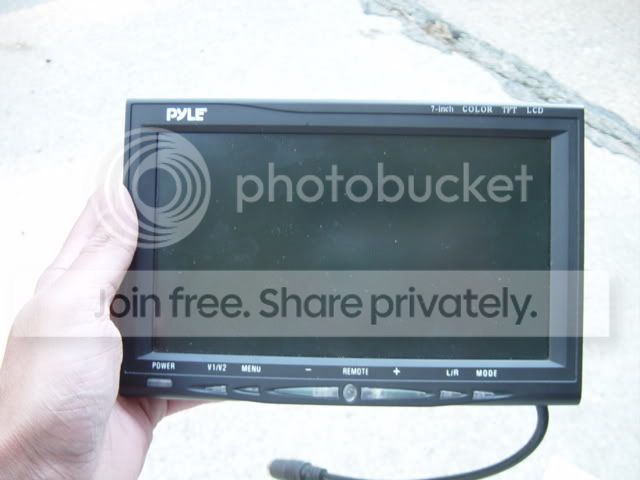
A 7inch widescreen WILL FIT however you may lose a small amount of the screen visibility at the top or bottom. The best is to remove the screen from its plastic moulding.
A 7inch widescreen WILL FIT however you may lose a small amount of the screen visibility at the top or bottom. The best is to remove the screen from its plastic moulding.

Junior Member
Joined: Sep 2004
Posts: 628
Likes: 0
From: Columbus, Ohio
okay, to "drive/power" the audio/ video all that is needed is a dvd player? most of these dvd players have the ability to play cd's and some mp3's? the dvd players usually also have audio/video imputs to connect ps2 or xbox? the factory speakers would all also connect to the aftermarket dvd player allowing you to effectively play dvd's cd's mp3's and ps2/xbox?
great thread.
great thread.


