


MPGuino Install in My 95 Del Sol Si

Thread Starter
Honda-Tech Member
Joined: Jun 2013
Posts: 33
Likes: 0
From: Richmond, VA
 MPGuino Install in My 95 Del Sol Si
Hey folks,
I am in the process of building and installing an MPG computer based off of the MPGuino project. You can find more information about this project on their Wiki and their Workspace.
In addition to the core MPGuino features, I plan to build in the following:
- Bluetooth communications with an android phone for logging
- Android app for tracking and logging info
- [Maybe] adding a tap into the tachometer for logging of that
- Writing a hack to use a smaller/higher resolution screen.
- Installing the entire computer into the instrument cluster in place of the crappy clock module.
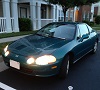
So far I have been able to build up a prototype and test it in my 1995 Del Sol Si. I still need to calibrate it, so I will post more specifics on the final calibration when I get there.
You can find more information about how and where to tap the injector, vss, power, and ground for driving the MPGuino here.
I am including a full parts and tools list for ease of use:
Parts:
- 1x Cat5e patch cable [~$3]
- 1x RJ-45 Jack [~$5]
- 1x Arduino Nano (or compatible board, needs bootloader installed) [~$10 on ebay]
- 1x 30 ft Bluetooth RF Module HC-05 [~$9 on ebay]
- 1x small protoboard [~2 through sparkfun or adafruit]
- 1x 1.8" Serial display model ST7735R [~$13 on ebay]
- 1x spool of hook-up wire [~$4]
- solder [cheap]
- 2x 47k ohm resistors
- 1x 220 ohm resistor
- 2x 5.1 V Zener diodes
- 1x PNP transistor (2N3906)
- 3x buttons ( have some useful for a solderless breadboard, but I plan on re-using the buttons on the instrument cluster clock)
- electrical tape
Tools:
- Short phillips head screwdriver
- soldering iron
- micro usb to regular usb cable (for loading sketches to arduino)
- wire-cutter and strippers
So I chose the parts list, specifically the Arduino nano, in order to keep the size if this device at a minimal. My goal is the fit it into the clock module case in the instrument cluster. I couldn't think of a better place to put it that isn't obnoxiously aftermarket looking. The sad thing about putting it in place of the clock is that the 3 led cluster (back window open,roof unlatched, and trunk open) that is part of the clock module will not fit with the computer, so I need to find a place for it.
I leave the floor to you guys for any comments or advice for my modding.
I am in the process of building and installing an MPG computer based off of the MPGuino project. You can find more information about this project on their Wiki and their Workspace.
In addition to the core MPGuino features, I plan to build in the following:
- Bluetooth communications with an android phone for logging
- Android app for tracking and logging info
- [Maybe] adding a tap into the tachometer for logging of that
- Writing a hack to use a smaller/higher resolution screen.
- Installing the entire computer into the instrument cluster in place of the crappy clock module.
So far I have been able to build up a prototype and test it in my 1995 Del Sol Si. I still need to calibrate it, so I will post more specifics on the final calibration when I get there.
You can find more information about how and where to tap the injector, vss, power, and ground for driving the MPGuino here.
I am including a full parts and tools list for ease of use:
Parts:
- 1x Cat5e patch cable [~$3]
- 1x RJ-45 Jack [~$5]
- 1x Arduino Nano (or compatible board, needs bootloader installed) [~$10 on ebay]
- 1x 30 ft Bluetooth RF Module HC-05 [~$9 on ebay]
- 1x small protoboard [~2 through sparkfun or adafruit]
- 1x 1.8" Serial display model ST7735R [~$13 on ebay]
- 1x spool of hook-up wire [~$4]
- solder [cheap]
- 2x 47k ohm resistors
- 1x 220 ohm resistor
- 2x 5.1 V Zener diodes
- 1x PNP transistor (2N3906)
- 3x buttons ( have some useful for a solderless breadboard, but I plan on re-using the buttons on the instrument cluster clock)
- electrical tape
Tools:
- Short phillips head screwdriver
- soldering iron
- micro usb to regular usb cable (for loading sketches to arduino)
- wire-cutter and strippers
So I chose the parts list, specifically the Arduino nano, in order to keep the size if this device at a minimal. My goal is the fit it into the clock module case in the instrument cluster. I couldn't think of a better place to put it that isn't obnoxiously aftermarket looking. The sad thing about putting it in place of the clock is that the 3 led cluster (back window open,roof unlatched, and trunk open) that is part of the clock module will not fit with the computer, so I need to find a place for it.
I leave the floor to you guys for any comments or advice for my modding.

If you loved me, you'd all sell me your magic cards to me today


Joined: Oct 2005
Posts: 2,700
Likes: 0
From: Atlantic Ocean Florida
Re: MPGuino Install in My 95 Del Sol Si

Although I think you would get more responses on the engine management sub forum, pgmfi.org, or the eccomodder site.
If you loved me, you'd all sell me your magic cards to me today
Joined: Oct 2005
Posts: 2,700
Likes: 0
From: Atlantic Ocean Florida
Re: MPGuino Install in My 95 Del Sol Si
Also, I have been trying to get back into circuitry and other types of electronics, specifically looking for an arduino project. I think I may have found it.


talks to himself


Joined: Apr 2009
Posts: 2,167
Likes: 79
From: Where YOU live?
Re: MPGuino Install in My 95 Del Sol Si
Boom! Subscribed.
Sleepy, the other thread was with regards to signal source selection within the vehicle. I believe this is intended to be a repository for information that will hopefully result in "how-to." Same overall topic, different purpose.
Sleepy, the other thread was with regards to signal source selection within the vehicle. I believe this is intended to be a repository for information that will hopefully result in "how-to." Same overall topic, different purpose.
Thread Starter
Honda-Tech Member
Joined: Jun 2013
Posts: 33
Likes: 0
From: Richmond, VA
Re: MPGuino Install in My 95 Del Sol Si
Anyways, back on topic; anyone have any other ideas for what I can add to make this project even sweeter!?!

Trending Topics
If you loved me, you'd all sell me your magic cards to me today
Joined: Oct 2005
Posts: 2,700
Likes: 0
From: Atlantic Ocean Florida
Re: MPGuino Install in My 95 Del Sol Si
geez so much scrutiny around my thread. If you guys think it belongs elsewhere I can certainly as to move it. As for duplicate posting, please don't worry about me.. I have no desire to post *****. I just want to get good insight and give a cool look at my project.
Anyways, back on topic; anyone have any other ideas for what I can add to make this project even sweeter!?!
Anyways, back on topic; anyone have any other ideas for what I can add to make this project even sweeter!?!
I was just thinking you might get others interested more on those forums, start a duplicate thread there also maybe? You are new here and a lot of posts/posters in here are pretty slow(nice way of saying it). The other sections/forums could connect you with more engineers and developers.
Please keep posting here though as I am super interested.

Honda-Tech Member
Joined: Dec 2010
Posts: 327
Likes: 0
Re: MPGuino Install in My 95 Del Sol Si
Check out my Honda diagnostic connector to OBD II converter.
If you use my system , then you could use the standard MPGuino.
https://honda-tech.com/forums/honda-civic-del-sol-1992-2000-1/convert-92-95-civic-diagnostic-port-obd-ii-3153702/
If you use my system , then you could use the standard MPGuino.
https://honda-tech.com/forums/honda-civic-del-sol-1992-2000-1/convert-92-95-civic-diagnostic-port-obd-ii-3153702/
 Re: MPGuino Install in My 95 Del Sol Si
Beautiful.
I have one small(?) request: Any way to add an external temperature sensor and a volts reading?
Here's why: Other Hondas from Japan of a similar vintage as our 90s Civics had an optional accessory whereby the clock module was replaced with a device that reported time/temp/RPM/volts. Here's what it looked like on a JDM Odyssey:

I always thought it would awesome to integrate this feature into the Civic somehow but I don't have the skillz. No idea how hard this would be but you seem like the right guy to ask. Note that temp sensors can be salvaged from a slew of other Honda models, notably the Acura Legend and other higher-end models.
On a 92-95 Civic, there is a clock module which presumably would be the ideal place to put this:

I have one small(?) request: Any way to add an external temperature sensor and a volts reading?
Here's why: Other Hondas from Japan of a similar vintage as our 90s Civics had an optional accessory whereby the clock module was replaced with a device that reported time/temp/RPM/volts. Here's what it looked like on a JDM Odyssey:
I always thought it would awesome to integrate this feature into the Civic somehow but I don't have the skillz. No idea how hard this would be but you seem like the right guy to ask. Note that temp sensors can be salvaged from a slew of other Honda models, notably the Acura Legend and other higher-end models.
On a 92-95 Civic, there is a clock module which presumably would be the ideal place to put this:
Last edited by deschlong; Nov 3, 2013 at 02:50 PM. Reason: Relinked pic of Odyssey module.

Thread Starter
Honda-Tech Member
Joined: Jun 2013
Posts: 33
Likes: 0
From: Richmond, VA
Re: MPGuino Install in My 95 Del Sol Si
Beautiful.
I have one small(?) request: Any way to add an external temperature sensor and a volts reading?
Here's why: Other Hondas from Japan of a similar vintage as our 90s Civics had an optional accessory whereby the clock module was replaced with a device that reported time/temp/RPM/volts. Here's what it looked like on a JDM Odyssey:
I always thought it would awesome to integrate this feature into the Civic somehow but I don't have the skillz. No idea how hard this would be but you seem like the right guy to ask. Note that temp sensors can be salvaged from a slew of other Honda models, notably the Acura Legend and other higher-end models.
On a 92-95 Civic, there is a clock module which presumably would be the ideal place to put this:
I have one small(?) request: Any way to add an external temperature sensor and a volts reading?
Here's why: Other Hondas from Japan of a similar vintage as our 90s Civics had an optional accessory whereby the clock module was replaced with a device that reported time/temp/RPM/volts. Here's what it looked like on a JDM Odyssey:
I always thought it would awesome to integrate this feature into the Civic somehow but I don't have the skillz. No idea how hard this would be but you seem like the right guy to ask. Note that temp sensors can be salvaged from a slew of other Honda models, notably the Acura Legend and other higher-end models.
On a 92-95 Civic, there is a clock module which presumably would be the ideal place to put this:
Just an update on m project: I ordered the parts and got all but the parts except (Bluetooth module) have come in. I ordered all from china.. Cheapo shipping. I am currently trying to mod the clock case to fit a LCD display, and am hacking the mpguino code to accommodate a color, more exciting screen.
Sorry for the wait guys, but it is coming along.
Last edited by deschlong; Jun 24, 2013 at 08:09 PM. Reason: Thread clean-up: Removed quoted images (no need for these).
talks to himself
Joined: Apr 2009
Posts: 2,167
Likes: 79
From: Where YOU live?
If you loved me, you'd all sell me your magic cards to me today
Joined: Oct 2005
Posts: 2,700
Likes: 0
From: Atlantic Ocean Florida
Re: MPGuino Install in My 95 Del Sol Si
Yeah if you wanted an all-in-one temp, clock, voltage, mpg it would not be too hard. I am looking to base my project off of a 16k MHz CPU... Which may be cutting it close with a color display. But if you find a nice small monochrome display and write a nifty hack on the mpguino code. It shouldn't be too bad.
Just an update on m project: I ordered the parts and got all but the parts except (Bluetooth module) have come in. I ordered all from china.. Cheapo shipping. I am currently trying to mod the clock case to fit a LCD display, and am hacking the mpguino code to accommodate a color, more exciting screen.
Sorry for the wait guys, but it is coming along.
Just an update on m project: I ordered the parts and got all but the parts except (Bluetooth module) have come in. I ordered all from china.. Cheapo shipping. I am currently trying to mod the clock case to fit a LCD display, and am hacking the mpguino code to accommodate a color, more exciting screen.
Sorry for the wait guys, but it is coming along.
Thread Starter
Honda-Tech Member
Joined: Jun 2013
Posts: 33
Likes: 0
From: Richmond, VA
Re: MPGuino Install in My 95 Del Sol Si
Alright. Sorry for the delay guys, its been a busy couple months - family matters and the like.
I finally got some time to spend on my project this past week and it is working wonderfully.
Main Steps:
1. I was able to successfully mod the clock case using plastic weld. Looks good, sanded it down, mounted the screen. Spray painted it matte black to match the dash interior.
2. Most of my time was spend re-writing the code to use the 1.8” TFT color display. It consumes more CPU, and has a slower response time. Therefore I could not just do full screen wipes in between screen refreshes. So I Just assigned two different color constants (Black and White) for background and text colors. Every time a designed character is changed in a refresh cycle. the old character is re-printed in the background color, then the new character is printed in the text color.
3. I ran into an issue as well with being able to turn-on the low power mode. The TFT display (either didn't support or was malfunctioning) was not able to programatically handle powering off the screen when the signal timeout occurred. Therefore, I had to modify the circuit to power the screen from an output pin on the Arduino. (The value added for this was so that when the VSS and INJ signals went dead for a certain period of time, the screen would be powered off and the Arduino would enter a low-power state. Therefore not killing your battery, but also able to save your tank MPG stats).
4. My favorite part of this mod was that I was able to completely reuse the three clock buttons. There are now clicky-mechanical buttons.
Pictures!!!!
Here I spliced a cat5 patch cable for making the (12V, GND, VSS, INJ) connections modular.


Here I am tapping into the connections at the ECU

The prototype using a monochrome display:


The internals assembled (no display);


The modded case (unassembled):


The modded case (assembled, no paint):


The case (COMPLETE):

Installation:


Installed!:


I am using a full tank of gas to calibrate the distance factors and injector calibration factor.
I have the source code here: https://github.com/Sectorbob/mpguino_st7735_mod, for anyone who wants a look. I plan on building a bug list and working to get the behavior correct.
Please let me know what you all think!
Again, I do apologize for keeping you all waiting.
I finally got some time to spend on my project this past week and it is working wonderfully.
Main Steps:
1. I was able to successfully mod the clock case using plastic weld. Looks good, sanded it down, mounted the screen. Spray painted it matte black to match the dash interior.
2. Most of my time was spend re-writing the code to use the 1.8” TFT color display. It consumes more CPU, and has a slower response time. Therefore I could not just do full screen wipes in between screen refreshes. So I Just assigned two different color constants (Black and White) for background and text colors. Every time a designed character is changed in a refresh cycle. the old character is re-printed in the background color, then the new character is printed in the text color.
3. I ran into an issue as well with being able to turn-on the low power mode. The TFT display (either didn't support or was malfunctioning) was not able to programatically handle powering off the screen when the signal timeout occurred. Therefore, I had to modify the circuit to power the screen from an output pin on the Arduino. (The value added for this was so that when the VSS and INJ signals went dead for a certain period of time, the screen would be powered off and the Arduino would enter a low-power state. Therefore not killing your battery, but also able to save your tank MPG stats).
4. My favorite part of this mod was that I was able to completely reuse the three clock buttons. There are now clicky-mechanical buttons.
Pictures!!!!
Here I spliced a cat5 patch cable for making the (12V, GND, VSS, INJ) connections modular.
Here I am tapping into the connections at the ECU
The prototype using a monochrome display:
The internals assembled (no display);
The modded case (unassembled):
The modded case (assembled, no paint):
The case (COMPLETE):
Installation:
Installed!:
I am using a full tank of gas to calibrate the distance factors and injector calibration factor.
I have the source code here: https://github.com/Sectorbob/mpguino_st7735_mod, for anyone who wants a look. I plan on building a bug list and working to get the behavior correct.
Please let me know what you all think!
Again, I do apologize for keeping you all waiting.
Thread Starter
Honda-Tech Member
Joined: Jun 2013
Posts: 33
Likes: 0
From: Richmond, VA
Re: MPGuino Install in My 95 Del Sol Si
Additional notes:
- no bluetooth yet. i don't have an android phone to test this.
- limited metrics (my MPGuino code mod is based off of v0.75 not 0.86 (which has some metrics mods and such)
- no bluetooth yet. i don't have an android phone to test this.
- limited metrics (my MPGuino code mod is based off of v0.75 not 0.86 (which has some metrics mods and such)
Re: MPGuino Install in My 95 Del Sol Si
OP delivers. Possibly my favourite thread on all of H-T.
I'm really curious if this can also be retrofit into the clock module of a 92-95 5th Gen Civic, as seen in post #10?
I'm really curious if this can also be retrofit into the clock module of a 92-95 5th Gen Civic, as seen in post #10?
Thread Starter
Honda-Tech Member
Joined: Jun 2013
Posts: 33
Likes: 0
From: Richmond, VA
Re: MPGuino Install in My 95 Del Sol Si
If you want to pop it out and get some measurements, I can try to give you an estimate.
When it comes to small chipsets, I was actually very impressed with the size of the Arduino Nano... I am sure as long as you were to use that model, you could fit this chip anywhere.
Another issue I am wanting to address is that the MpH readings seems to be off... More due to the fact that the clock circuit is a bit slow... Not sure if this is a manufacturing defect - yay china
I am going to ramble further and say that when it comes to aesthetics and design... I fail. Having said that, does anyone have any ideas for color.. Logos... That would be a good honda "fit" for this mod? <- pun intended

Honda-Tech Member


Joined: Jan 2012
Posts: 279
Likes: 61
Re: MPGuino Install in My 95 Del Sol Si
WOW, just found this when i was doing some research for my own custom system to my EJ2!
Im planning to build a same kind of system to my EJ2, but it differs from this a little. Im ordered a 1.5" OLED display, Arduino Mega 2560, some accelerometer sensors and other basic stuff. The display is planned to be installed inside the tachometer to replace the OEM door open indicator. System is controlled using OEM clock buttons and its possible that OEM clock display is replaced by the secondary arduino display, which is dedicated to show clock/date. If install inside the tacho doesnt work out, plan B is to install it to OEM clock bezel.
Planned functions:
Im planning to build a same kind of system to my EJ2, but it differs from this a little. Im ordered a 1.5" OLED display, Arduino Mega 2560, some accelerometer sensors and other basic stuff. The display is planned to be installed inside the tachometer to replace the OEM door open indicator. System is controlled using OEM clock buttons and its possible that OEM clock display is replaced by the secondary arduino display, which is dedicated to show clock/date. If install inside the tacho doesnt work out, plan B is to install it to OEM clock bezel.
Planned functions:
Arduino Door Open Indicator function:
Simple Arduino door open indicator shows which door, sunroof, hood or trunk is open. When you turn car key to IGN1, cars own "BAT Check circuit" is wired to Arduinos input and when Arduino gets that "BAT Check" signal, it "lights" up all indicators until the BAT Check signal is lost. After that it shows which door, sunroof, hood, or trunk is open via 1.5" OLED Display if the IGN1 is on. All inputs exept "BAT Check" are negative. BAT Check is +12v.
"Integrated" MPGuino:
- km/L monitoring software (Use some of existing MPGuino code).
Engine RPM monitoring:
- When you start the car, Arduino starts monitoring the engine rpm. Engine RPM signal output is one wire behind the cluster.
Car speed monitoring:
- When the car is running, Arduino monitors the Vehicle Speed Sensor. VSS signal output is one wire behind the cluster.
Clock/date function:
- Just a simple Arduino clock/date function.
Inside / outside / coolant / oil / intake temp display:
- Just a simple temperature monitoring software
G-force/acceleration display:
- G-Force monitoring/displaying software
Arduino Battery monitoring:
- Shows battery voltage.
Tire pressure monitoring:
- Shows tire pressures. (Uses aftermarket tire pressure sensors)
Basic function of the whole multimonitor display:
The different displays (door indicator, clock/date etc etc) Can be controller with just a three momentary push buttons. My plan is to use my cars old clock bezel buttons to control arduino, so the system looks "OEM". Arduino is only "ON" when the IGN1 is "ON" or car is running.
Simple Arduino door open indicator shows which door, sunroof, hood or trunk is open. When you turn car key to IGN1, cars own "BAT Check circuit" is wired to Arduinos input and when Arduino gets that "BAT Check" signal, it "lights" up all indicators until the BAT Check signal is lost. After that it shows which door, sunroof, hood, or trunk is open via 1.5" OLED Display if the IGN1 is on. All inputs exept "BAT Check" are negative. BAT Check is +12v.
"Integrated" MPGuino:
- km/L monitoring software (Use some of existing MPGuino code).
Engine RPM monitoring:
- When you start the car, Arduino starts monitoring the engine rpm. Engine RPM signal output is one wire behind the cluster.
Car speed monitoring:
- When the car is running, Arduino monitors the Vehicle Speed Sensor. VSS signal output is one wire behind the cluster.
Clock/date function:
- Just a simple Arduino clock/date function.
Inside / outside / coolant / oil / intake temp display:
- Just a simple temperature monitoring software
G-force/acceleration display:
- G-Force monitoring/displaying software
Arduino Battery monitoring:
- Shows battery voltage.
Tire pressure monitoring:
- Shows tire pressures. (Uses aftermarket tire pressure sensors)
Basic function of the whole multimonitor display:
The different displays (door indicator, clock/date etc etc) Can be controller with just a three momentary push buttons. My plan is to use my cars old clock bezel buttons to control arduino, so the system looks "OEM". Arduino is only "ON" when the IGN1 is "ON" or car is running.