


P06-P28, HULOG, Crome problems. ready to pull hair out


Thread Starter
Honda-Tech Member
Joined: Dec 2002
Posts: 3,823
Likes: 0
From: Harbeson, De, USA
 P06-P28, HULOG, Crome problems. ready to pull hair out
First off, Im new to all of this. Ive made a post about this before and to no avail. This time I took some pictures. Ive got a P06 converted to a P28, HULOG, and many different cables. Ive had John Kerr helping me a little bit in the past and I simply gave up on it. I came back today and tried it again with some new cables. Same thing. Maybe someone can see something that Ive done wrong? Im running a brand new HP Pavilion dv2000 with Windows Vista.
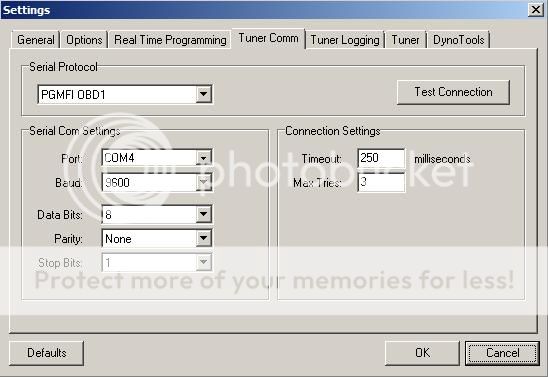
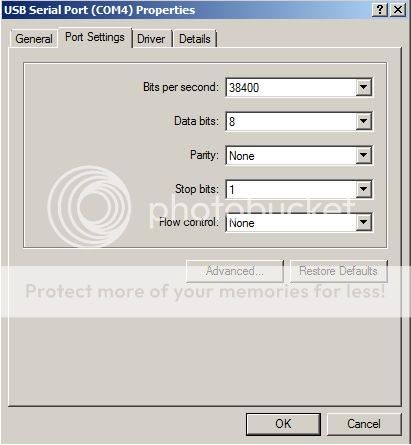
The only thing that doesnt make sense to me is the Baud rate between the PC and Crome. The only way I can get the laptop to connect to the ECU is with a Baud of 9600 in Crome and 38400 on the PC. This is Pictured below as well.
HULOG w/ wire colors
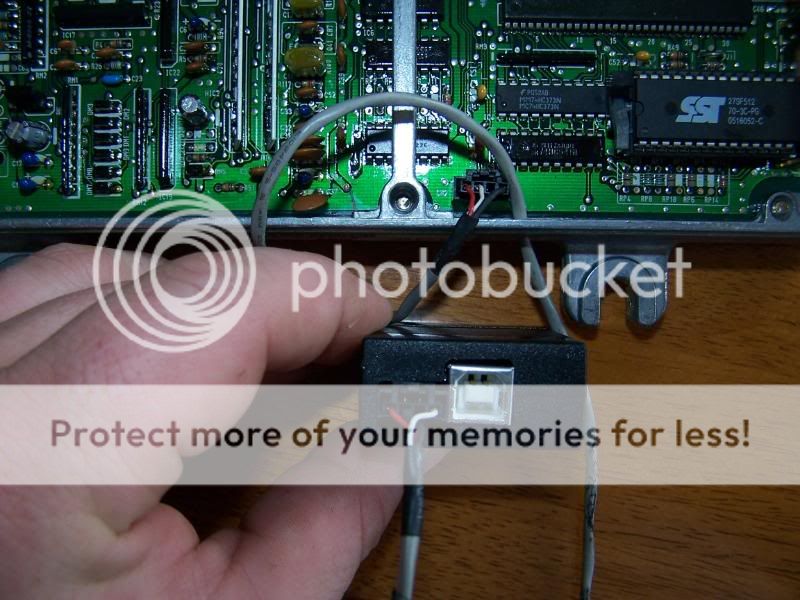
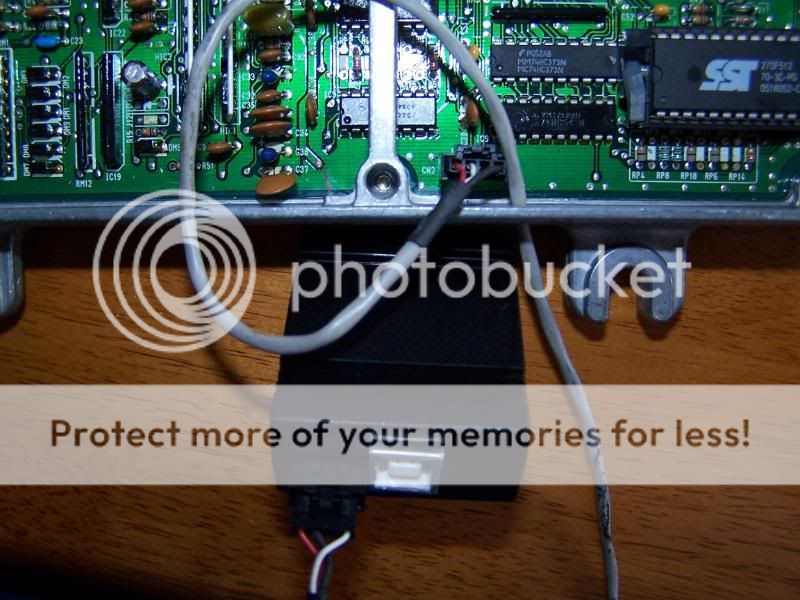
HULOG again *note J12*
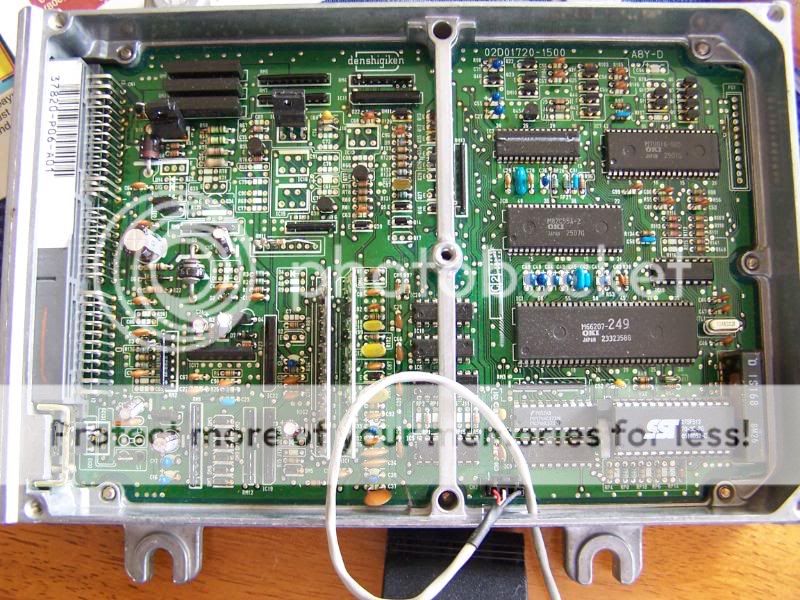
Whole ECU
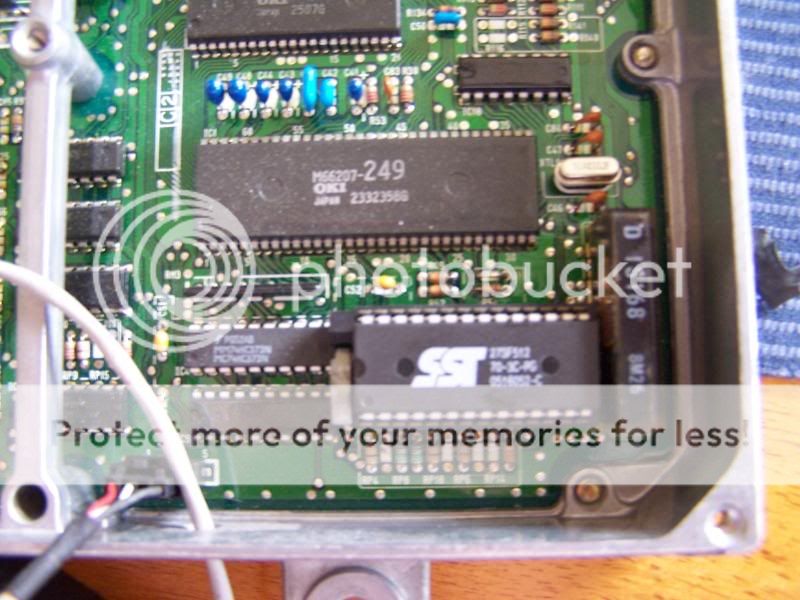
Chip
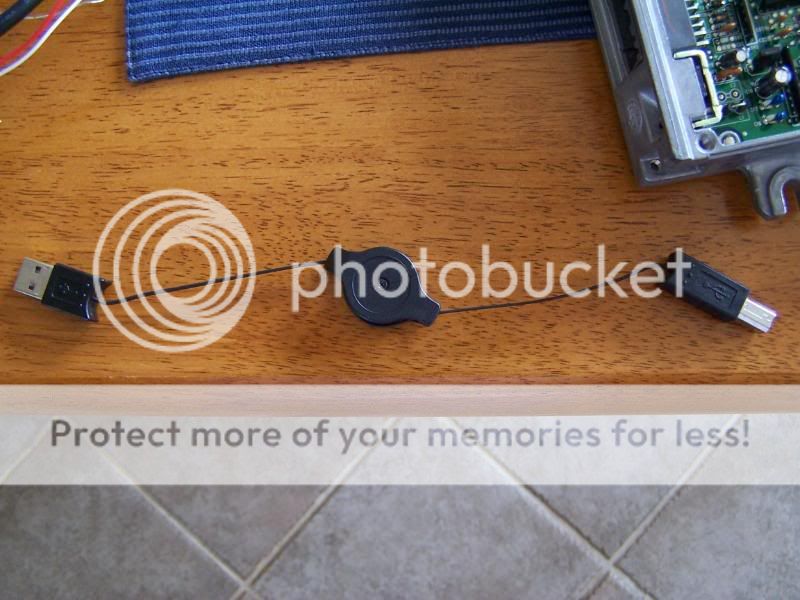
Retractable USB Cable
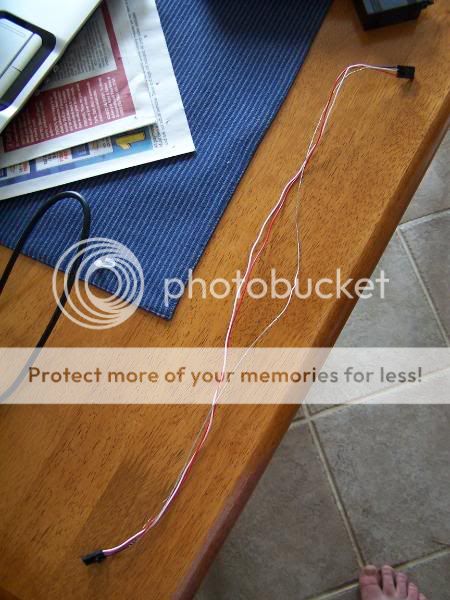
New Data Line
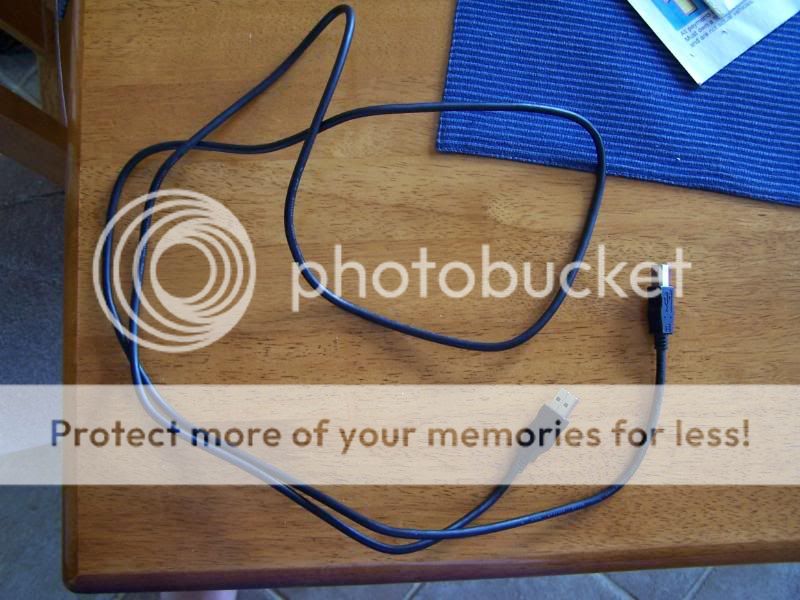
Regular USB Cable
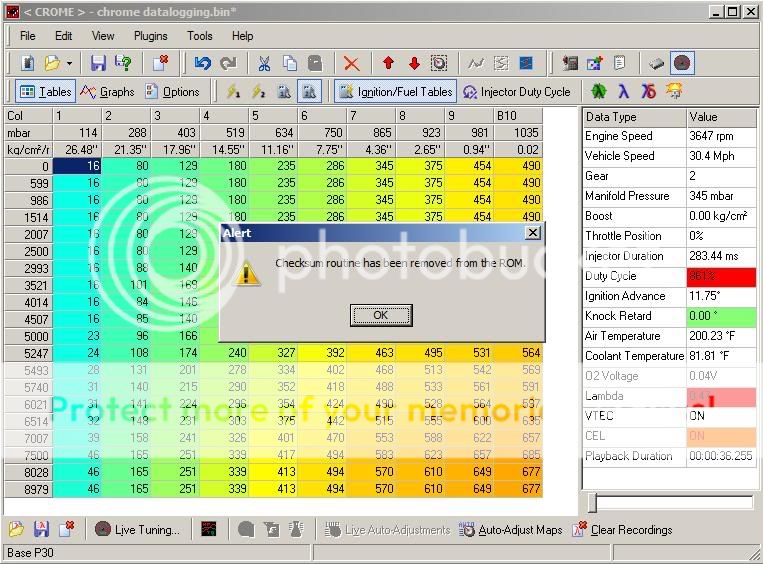
Checksum Removed and Quickdatalogger added per JK
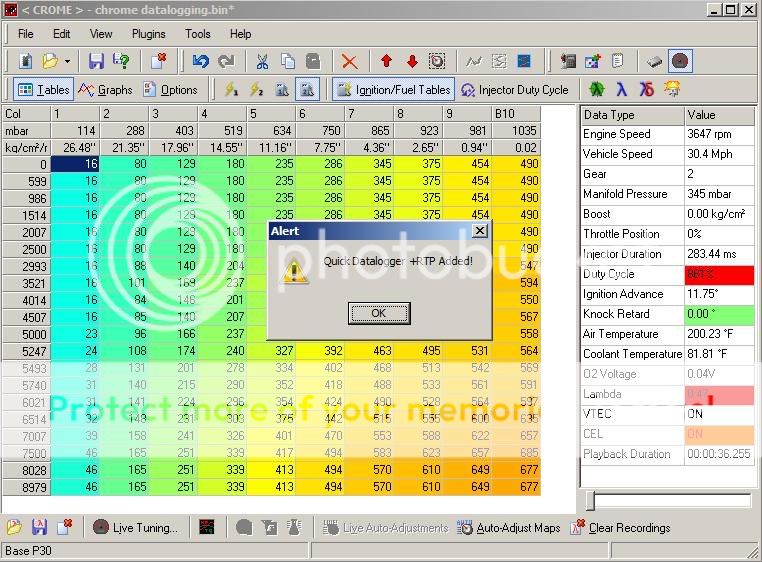
COM Settings in Crome
COM settings on PC
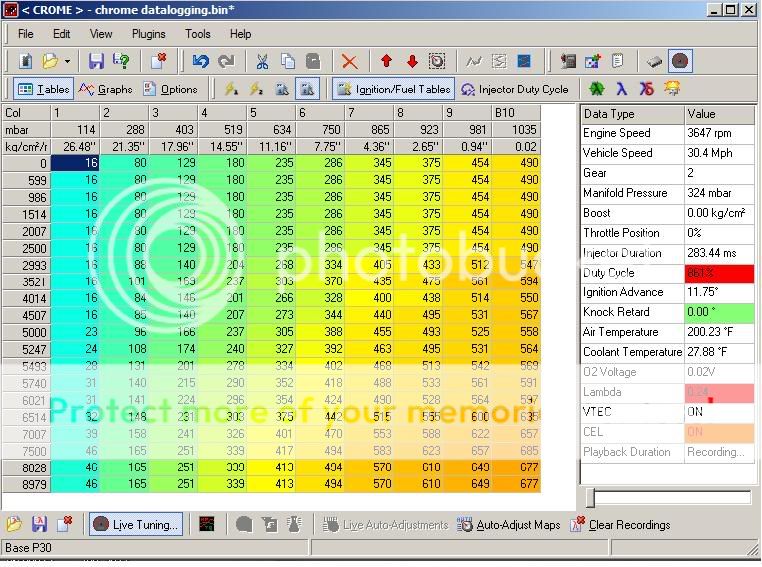
WEIRD *** NUMBERS @ IDLE!
Modified by slambedcivic at 6:56 PM 5/28/2008
The only thing that doesnt make sense to me is the Baud rate between the PC and Crome. The only way I can get the laptop to connect to the ECU is with a Baud of 9600 in Crome and 38400 on the PC. This is Pictured below as well.
HULOG w/ wire colors
HULOG again *note J12*
Whole ECU
Chip
Retractable USB Cable
New Data Line
Regular USB Cable
Checksum Removed and Quickdatalogger added per JK
COM Settings in Crome
COM settings on PC
WEIRD *** NUMBERS @ IDLE!
Modified by slambedcivic at 6:56 PM 5/28/2008


Honda-Tech Member
Joined: Mar 2002
Posts: 9,854
Likes: 4
From: Southern California, U.S.A.
Re: P06-P28, HULOG, Chrome problems. ready to pull hair out (slambedcivic)
<TABLE WIDTH="90%" CELLSPACING=0 CELLPADDING=0 ALIGN=CENTER><TR><TD>Quote, originally posted by slambedcivic »</TD></TR><TR><TD CLASS="quote"> new HP Pavilion dv2000 with Windows Vista. </TD></TR></TABLE>
Not a Vista fan on tuning laptops.
I had a similar problem with Crome 1.49, but Crome 1.48 worked like a charm. Now both are working with my primary laptop, but I don't remember how I got them to work. Try using a different version of Crome and see how that goes for you...
Not a Vista fan on tuning laptops.
I had a similar problem with Crome 1.49, but Crome 1.48 worked like a charm. Now both are working with my primary laptop, but I don't remember how I got them to work. Try using a different version of Crome and see how that goes for you...

Honda-Tech Member
Joined: Oct 2002
Posts: 5,152
Likes: 24
From: chicago burbs, Il, USA
Re: P06-P28, HULOG, Chrome problems. ready to pull hair out (slambedcivic)
<TABLE WIDTH="90%" CELLSPACING=0 CELLPADDING=0 ALIGN=CENTER><TR><TD>Quote, originally posted by slambedcivic »</TD></TR><TR><TD CLASS="quote">running pro beta 1.1.8</TD></TR></TABLE>
try bumping up to 1.4.9 I've had good luck with it. Plus there was a datalogging change in 1.4+ that pulls additional info. (you have to rebuild the bin with 1.4+)
your registration file will transfer no problem so your PRO status will remain.
1.1.8 was never a favorite of mine.
Modified by Relic1 at 11:08 AM 5/28/2008
try bumping up to 1.4.9 I've had good luck with it. Plus there was a datalogging change in 1.4+ that pulls additional info. (you have to rebuild the bin with 1.4+)
your registration file will transfer no problem so your PRO status will remain.
1.1.8 was never a favorite of mine.
Modified by Relic1 at 11:08 AM 5/28/2008
Trending Topics

Honda-Tech Member
Joined: Oct 2003
Posts: 408
Likes: 0
From: eCtune Dev country, SR
no matter what changing the comm port baud in device manager won't have effect.
you have to set crome BAUD to 38400 others datalogging will never work.
Hardware wise the cable looked to be plugged in correctly...
you have to set crome BAUD to 38400 others datalogging will never work.
Hardware wise the cable looked to be plugged in correctly...
Thread Starter
Honda-Tech Member
Joined: Dec 2002
Posts: 3,823
Likes: 0
From: Harbeson, De, USA
Re: (calvinPGMFI)
<TABLE WIDTH="90%" CELLSPACING=0 CELLPADDING=0 ALIGN=CENTER><TR><TD>Quote, originally posted by calvinPGMFI »</TD></TR><TR><TD CLASS="quote">no matter what changing the comm port baud in device manager won't have effect.
you have to set crome BAUD to 38400 others datalogging will never work.
Hardware wise the cable looked to be plugged in correctly...</TD></TR></TABLE>
when i do that the computer will not connect to the ecu. how it is set in the pictures is the only way i have found it to connect.
you have to set crome BAUD to 38400 others datalogging will never work.
Hardware wise the cable looked to be plugged in correctly...</TD></TR></TABLE>
when i do that the computer will not connect to the ecu. how it is set in the pictures is the only way i have found it to connect.
Thread Starter
Honda-Tech Member
Joined: Dec 2002
Posts: 3,823
Likes: 0
From: Harbeson, De, USA
Re: P06-P28, HULOG, Chrome problems. ready to pull hair out (Relic1)
<TABLE WIDTH="90%" CELLSPACING=0 CELLPADDING=0 ALIGN=CENTER><TR><TD>Quote, originally posted by Relic1 »</TD></TR><TR><TD CLASS="quote">
try bumping up to 1.4.9 I've had good luck with it. Plus there was a datalogging change in 1.4+ that pulls additional info. (you have to rebuild the bin with 1.4+)
your registration file will transfer no problem so your PRO status will remain.
1.1.8 was never a favorite of mine.</TD></TR></TABLE>
i downloaded 1.4.8 beta last night. where can i get .9?
try bumping up to 1.4.9 I've had good luck with it. Plus there was a datalogging change in 1.4+ that pulls additional info. (you have to rebuild the bin with 1.4+)
your registration file will transfer no problem so your PRO status will remain.
1.1.8 was never a favorite of mine.</TD></TR></TABLE>
i downloaded 1.4.8 beta last night. where can i get .9?
Honda-Tech Member
Joined: Mar 2002
Posts: 9,854
Likes: 4
From: Southern California, U.S.A.
Re: P06-P28, HULOG, Chrome problems. ready to pull hair out (slambedcivic)
Thread Starter
Honda-Tech Member
Joined: Dec 2002
Posts: 3,823
Likes: 0
From: Harbeson, De, USA
Re: P06-P28, HULOG, Chrome problems. ready to pull hair out (b19coupe)
thanks man, ill let you know how this works out. i cant mess with it until friday. hopefully it will work.
Thread Starter
Honda-Tech Member
Joined: Dec 2002
Posts: 3,823
Likes: 0
From: Harbeson, De, USA
Re: P06-P28, HULOG, Chrome problems. ready to pull hair out (slambedcivic)
ya, it wont install. gives me a windows error. ill try it later, i dont feel like messing with it right now. thanks for all the help!
Thread Starter
Honda-Tech Member
Joined: Dec 2002
Posts: 3,823
Likes: 0
From: Harbeson, De, USA
Re: P06-P28, HULOG, Chrome problems. ready to pull hair out (b19coupe)
<TABLE WIDTH="90%" CELLSPACING=0 CELLPADDING=0 ALIGN=CENTER><TR><TD>Quote, originally posted by b19coupe »</TD></TR><TR><TD CLASS="quote">With Vista you have to right click and run the install as an administrator.
Vista </TD></TR></TABLE>
there is no option for that. i tried.
Vista
</TD></TR></TABLE>there is no option for that. i tried.
Honda-Tech Member
Joined: Mar 2002
Posts: 9,854
Likes: 4
From: Southern California, U.S.A.
Re: P06-P28, HULOG, Chrome problems. ready to pull hair out (slambedcivic)
It's a .zip file. You have to right click and select "extract all" first.
Then copy and paste the Crome.exe into your Crome program file directory.
Then copy and paste the Crome.exe into your Crome program file directory.
Thread Starter
Honda-Tech Member
Joined: Dec 2002
Posts: 3,823
Likes: 0
From: Harbeson, De, USA
Re: P06-P28, HULOG, Chrome problems. ready to pull hair out (b19coupe)
there is no option on it when i right click. however i saw at the top of the screen there was an "extract all files" option. i clicked that and it all worked. im actually keeping all versions on my computer and seperate just so i know what works and what doesnt.
Thread Starter
Honda-Tech Member
Joined: Dec 2002
Posts: 3,823
Likes: 0
From: Harbeson, De, USA
Re: P06-P28, HULOG, Crome problems. ready to pull hair out (slambedcivic)
alright. i got it working.
1. i uninstalled everything.
2. i removed J12 from another computer and put in a new header
3. re-installed crome 1.1.8
4. did a stock P30 map and it worked perfect.
I think my problem was one of 2 things.
since i have a stock GSR, i was running a p72 map in the computer (I THINK). i need to run a p30 in crome since its the only one that i can remove the checksum and add the datalogger.
-OR-
It was just an issue with the ECU.
stupid stupid stupid
1. i uninstalled everything.
2. i removed J12 from another computer and put in a new header
3. re-installed crome 1.1.8
4. did a stock P30 map and it worked perfect.
I think my problem was one of 2 things.
since i have a stock GSR, i was running a p72 map in the computer (I THINK). i need to run a p30 in crome since its the only one that i can remove the checksum and add the datalogger.
-OR-
It was just an issue with the ECU.
stupid stupid stupid

Thread
Thread Starter
Forum
Replies
Last Post
LS stretch
Engine Management and Tuning
2
Feb 3, 2009 08:40 AM
