


DIY: ITR sketch (Mods move if you want)


Thread Starter
Honda-Tech Member
Joined: Sep 2003
Posts: 2,252
Likes: 0
From: Socal
 DIY: ITR sketch (Mods move if you want)
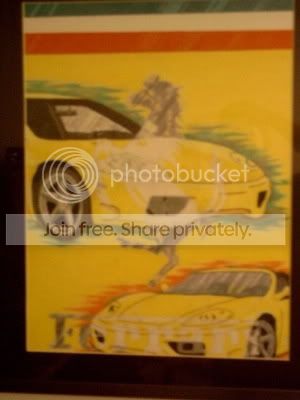
I am an art student and since I love my R I decided to sketch it as a final project. I don't have a scanner at the moment but I'll scan it in later on. Bear with the low quality, I took it with my cell phone camera because I'm also lacking of that at the moment.

Anyways it's just a gift form me to all my fellow R owners

Anyways it's just a gift form me to all my fellow R owners


 w
w 


Trending Topics


Joined: Sep 2004
Posts: 96
Likes: 0
From: NJ, NJ, US
Re: DIY: ITR sketch (AWS)
looks good, but need some more detailing on the rims and smooth out the body line a little. Look nice though, I also drew couple pix of ITR but dont know where I put them at, I'll post it up later.

Honda-Tech Member
Joined: Jul 2002
Posts: 5,695
Likes: 0
From: Chicagoland, usa
Re: DIY: ITR sketch (THEINTEGRATION)
Just a tip on getting your lines in order (unless its camera angle). Look at the front of your car and the wing of the car. The lines do not line up, your perspective then becomes skewed. So if you angled the far side of the windshield down some and "flattened" out the hood and lowered the passenger side front corner down it would flow much better 
That is unless you had picked a sorta strange vanishing point and worked off that.... but if thats the case... it makes it look sorta strange.
Other than that... looks good
That is unless you had picked a sorta strange vanishing point and worked off that.... but if thats the case... it makes it look sorta strange.
Other than that... looks good

Thread Starter
Honda-Tech Member
Joined: Sep 2003
Posts: 2,252
Likes: 0
From: Socal
not traced, all freehanded ... I'll scan it in tomorrow. I put a bit of detail into the wheels but you can't see it cause of my crappy cell phone camera. + bad angle :/
Modified by THEINTEGRATION at 7:09 PM 12/16/2004
... I'll scan it in tomorrow. I put a bit of detail into the wheels but you can't see it cause of my crappy cell phone camera. + bad angle :/Modified by THEINTEGRATION at 7:09 PM 12/16/2004
Thread Starter
Honda-Tech Member
Joined: Sep 2003
Posts: 2,252
Likes: 0
From: Socal
Re: DIY: ITR sketch (AWS)
<TABLE WIDTH="90%" CELLSPACING=0 CELLPADDING=0 ALIGN=CENTER><TR><TD>Quote, originally posted by BlueR »</TD></TR><TR><TD CLASS="quote">where are the stickers yo?
</TD></TR></TABLE>
I have no stickers on my car, I'll add some in the drawing if u want lol.
<TABLE WIDTH="90%" CELLSPACING=0 CELLPADDING=0 ALIGN=CENTER><TR><TD>Quote, originally posted by AWS »</TD></TR><TR><TD CLASS="quote">looks good - color it up and make a final </TD></TR></TABLE>
I have one that i made in adobe illustrator a while ago

I traced this off the one on the AJ racing site.
<TABLE WIDTH="90%" CELLSPACING=0 CELLPADDING=0 ALIGN=CENTER><TR><TD>Quote, originally posted by splitime »</TD></TR><TR><TD CLASS="quote">Just a tip on getting your lines in order (unless its camera angle). Look at the front of your car and the wing of the car. The lines do not line up, your perspective then becomes skewed. So if you angled the far side of the windshield down some and "flattened" out the hood and lowered the passenger side front corner down it would flow much better
That is unless you had picked a sorta strange vanishing point and worked off that.... but if thats the case... it makes it look sorta strange.
Other than that... looks good </TD></TR></TABLE>
It's kinda dark right now and I don't have enough light but I will tomorrow at school before I scan it in I didn't use a vanishing point, i tried to use shading to get stuff like the windows, body lines, etc. to show up curved and all. Maybe it'll look better after it's scanned. But thanks for the comments and suggestions. I need stuff like that
</TD></TR></TABLE>
I have no stickers on my car, I'll add some in the drawing if u want lol.
<TABLE WIDTH="90%" CELLSPACING=0 CELLPADDING=0 ALIGN=CENTER><TR><TD>Quote, originally posted by AWS »</TD></TR><TR><TD CLASS="quote">looks good - color it up and make a final
</TD></TR></TABLE>I have one that i made in adobe illustrator a while ago
I traced this off the one on the AJ racing site.
<TABLE WIDTH="90%" CELLSPACING=0 CELLPADDING=0 ALIGN=CENTER><TR><TD>Quote, originally posted by splitime »</TD></TR><TR><TD CLASS="quote">Just a tip on getting your lines in order (unless its camera angle). Look at the front of your car and the wing of the car. The lines do not line up, your perspective then becomes skewed. So if you angled the far side of the windshield down some and "flattened" out the hood and lowered the passenger side front corner down it would flow much better
That is unless you had picked a sorta strange vanishing point and worked off that.... but if thats the case... it makes it look sorta strange.
Other than that... looks good </TD></TR></TABLE>
It's kinda dark right now and I don't have enough light but I will tomorrow at school before I scan it in
I didn't use a vanishing point, i tried to use shading to get stuff like the windows, body lines, etc. to show up curved and all. Maybe it'll look better after it's scanned. But thanks for the comments and suggestions. I need stuff like that


Honda-Tech Member
Joined: Jul 2002
Posts: 5,695
Likes: 0
From: Chicagoland, usa
Re: DIY: ITR sketch (THEINTEGRATION)
<TABLE WIDTH="90%" CELLSPACING=0 CELLPADDING=0 ALIGN=CENTER><TR><TD>Quote, originally posted by THEINTEGRATION »</TD></TR><TR><TD CLASS="quote"> I need stuff like that </TD></TR></TABLE>
Hehe, ex-art major. I look at stuff like its a class critique
</TD></TR></TABLE>Hehe, ex-art major. I look at stuff like its a class critique


Joined: Dec 2004
Posts: 174
Likes: 0
From: Baltimore, MD, USA
Re: DIY: ITR sketch (splitime)
yeh i noticed the skew also......its hard when u dont setup a vanishing point to get that clean look.....also try not to go so heavy on the shading....i always have issues with pencil pressure and goin to heavy with the shading can make drawings look "Cartoony" but i think it looks great none the less...i used to be in advance art classes from middle shcool to hs and once i got to college i just fell out of it.....mostly just draw techincal write ups on cad now 




 [/IMG]