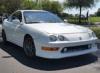
How to clean your plastic


Thread Starter
Honda-Tech Member
Joined: Jul 2003
Posts: 758
Likes: 0
From: Pittsburgh, ps, usa
 How to clean your plastic
After shot of my tail

got rid of those letters that hold wax


before and after of my turn signals

before and after of my headlights

if you guys are interested in a write up let me know
got rid of those letters that hold wax
before and after of my turn signals
before and after of my headlights
if you guys are interested in a write up let me know
Thread Starter
Honda-Tech Member
Joined: Jul 2003
Posts: 758
Likes: 0
From: Pittsburgh, ps, usa
Arlight guys.... sorry for the delay. Sleep > me.
Anyhoo heres the products you need
You Basically need two or three differnt grade compounds. I Borrowed a super duty compound, a 3m perfect-it 3000 (medium grade) and then a polish (metal polish).

next you need something to apply the compounds with. I used a makita variable speed (on the lowest speed) buffer with these pads.

super duty = white pad, the most coarse
Medium duty = black pad
polish = blue pad
next you need something to sand your plastic with.

I chose to use 2000 and 3000 grit sandpaper because i never did anything like this before and didnt really want to use to heavy sandpaper and mess something up. obviously you start with the 2000 then finish off with the 3000. The way i use the sandpaper is go one way like this ( / ) , then go like this ( \ ) so you get a nice even distributed cut like so And when you are wetsanding, make sure to dip your paper constantly into a water bucket. If you get a piece of dirt under your paper it will dig right into the plastic, and you cannot get the scratched out, so make sure you dip constantly( every 15 seconds or so). make sure your taillights are clean before sanding also. And where I removed the letters, just concentrate on that area a little more, and they will eventually come out.
after sanding, you want to dry off your plastic with a cloth to remove all water. Next you want to apply your compound evenly over the piece like so
Next step is to use the super duty with the white pad and buff the plastic. you basically do it until the compound is gone ( like removing wax when waxing a car)
then you use the next two compounds and you are done.
Note. I tried for ***** to use just the black pad and mothers "aluminum mag polish" and buffed it with just the one pad, and it looked as good as the others.
next step, look for other stuff to buff

Anyhoo heres the products you need
You Basically need two or three differnt grade compounds. I Borrowed a super duty compound, a 3m perfect-it 3000 (medium grade) and then a polish (metal polish).
next you need something to apply the compounds with. I used a makita variable speed (on the lowest speed) buffer with these pads.
super duty = white pad, the most coarse
Medium duty = black pad
polish = blue pad
next you need something to sand your plastic with.
I chose to use 2000 and 3000 grit sandpaper because i never did anything like this before and didnt really want to use to heavy sandpaper and mess something up. obviously you start with the 2000 then finish off with the 3000. The way i use the sandpaper is go one way like this ( / ) , then go like this ( \ ) so you get a nice even distributed cut like so
And when you are wetsanding, make sure to dip your paper constantly into a water bucket. If you get a piece of dirt under your paper it will dig right into the plastic, and you cannot get the scratched out, so make sure you dip constantly( every 15 seconds or so). make sure your taillights are clean before sanding also. And where I removed the letters, just concentrate on that area a little more, and they will eventually come out.after sanding, you want to dry off your plastic with a cloth to remove all water. Next you want to apply your compound evenly over the piece like so
Next step is to use the super duty with the white pad and buff the plastic. you basically do it until the compound is gone ( like removing wax when waxing a car)
then you use the next two compounds and you are done.
Note. I tried for ***** to use just the black pad and mothers "aluminum mag polish" and buffed it with just the one pad, and it looked as good as the others.
next step, look for other stuff to buff


Trending Topics

Thread Starter
Honda-Tech Member
Joined: Jul 2003
Posts: 758
Likes: 0
From: Pittsburgh, ps, usa
Re: How to clean your plastic (ORanGeC714)
<TABLE WIDTH="90%" CELLSPACING=0 CELLPADDING=0 ALIGN=CENTER><TR><TD>Quote, originally posted by ORanGeC714 »</TD></TR><TR><TD CLASS="quote">Did you do the ipod? how did that go? I wanted to do it to mine, but im afraid of messing it up. Did you use 2000-3000 for ipod also?</TD></TR></TABLE>
i used the 2000 and 3000 on the ipod. Mine was really scratched
i used the 2000 and 3000 on the ipod. Mine was really scratched


Thread Starter
Honda-Tech Member
Joined: Jul 2003
Posts: 758
Likes: 0
From: Pittsburgh, ps, usa
Re: (NAallTheWAY)
<TABLE WIDTH="90%" CELLSPACING=0 CELLPADDING=0 ALIGN=CENTER><TR><TD>Quote, originally posted by NAallTheWAY »</TD></TR><TR><TD CLASS="quote">Now that is the definition of CLEAN!  </TD></TR></TABLE>
There she is getting clean

</TD></TR></TABLE>There she is getting clean

Thread Starter
Honda-Tech Member
Joined: Jul 2003
Posts: 758
Likes: 0
From: Pittsburgh, ps, usa
Re: (undercoverdc2)
<TABLE WIDTH="90%" CELLSPACING=0 CELLPADDING=0 ALIGN=CENTER><TR><TD>Quote, originally posted by undercoverdc2 »</TD></TR><TR><TD CLASS="quote">good work. i derno if i can do something like that lol</TD></TR></TABLE>
its easier then you think. I just did it without any directions and i was drinking. its cake
its easier then you think. I just did it without any directions and i was drinking. its cake


Honda-Tech Member
Joined: Feb 2005
Posts: 4,070
Likes: 0
From: 14 Freeway
Re: (RARE_EG2)
<TABLE WIDTH="90%" CELLSPACING=0 CELLPADDING=0 ALIGN=CENTER><TR><TD>Quote, originally posted by RARE_EG2 »</TD></TR><TR><TD CLASS="quote">nice job </TD></TR></TABLE>
</TD></TR></TABLE>