


how to leave water mark


Thread Starter
Honda-Tech Member
Joined: Oct 2002
Posts: 4,462
Likes: 0
From: NorCal, USA
 how to leave water mark
since is the photo section. i was just curious how to leave water marks (if i remember correctly that's what they're called) on your photos like these below? is there a thing where you can set it to automatically put them on there for you?
thanks
beautiful pics from H-Tphotocrew


thanks
beautiful pics from H-Tphotocrew


 .. you mean how the car shines watery?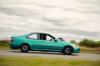
Trending Topics

Honda-Tech Member
Joined: Mar 2003
Posts: 3,299
Likes: 0
From: Miramar, FL
Re: how to leave water mark (Kid1320)
good question.....id also like to know....and how the hell do u get pix like that so clear??? photoshop it a lil bit or is it the camera or the way the pix were taken....i have a Canon SD100 3.2 MP and my pix dont come out like that

Thread Starter
Honda-Tech Member
Joined: Oct 2002
Posts: 4,462
Likes: 0
From: NorCal, USA
Re: how to leave water mark (sinical-ep3)
<TABLE WIDTH="90%" CELLSPACING=0 CELLPADDING=0 ALIGN=CENTER><TR><TD>Quote, originally posted by sinical-ep3 »</TD></TR><TR><TD CLASS="quote">Use photoshop or something similar.</TD></TR></TABLE>
please elaborate
please elaborate

Honda-Tech Member
Joined: Feb 2002
Posts: 2,759
Likes: 0
From: Honolulu, USA
1. Use the letter dealy to enter your name.
2. Place your name where you want it.
3. Save file as blah.psd
Now that you have that, just open blah.psd and paste the image. Just make sure the layer with your name is on top of the image.
4. Save *** whatever.jpg
2. Place your name where you want it.
3. Save file as blah.psd
Now that you have that, just open blah.psd and paste the image. Just make sure the layer with your name is on top of the image.
4. Save *** whatever.jpg

H-T Poker champion
Joined: Apr 2002
Posts: 5,921
Likes: 0
From: Columbus Ohio
Re: (Carlo)
If you have ever used photoshop you should have no problem doing something like that.. It won't be automatic, but you can make your own personal "water mark" and save it. Then when you want to add it to a picture you just open it and copy/paste onto the picutre.. Then drag it to where you want it on the picture.. WALLA!
 Re: how to leave water mark (Kid1320)
<TABLE WIDTH="90%" CELLSPACING=0 CELLPADDING=0 ALIGN=CENTER><TR><TD>Quote, originally posted by Kid1320 »</TD></TR><TR><TD CLASS="quote">since is the photo section. i was just curious how to leave water marks (if i remember correctly that's what they're called) on your photos like these below? is there a thing where you can set it to automatically put them on there for you?
thanks
beautiful pics from H-Tphotocrew
</TD></TR></TABLE>any more p-ics of that sick s13??????
thanks
beautiful pics from H-Tphotocrew
</TD></TR></TABLE>any more p-ics of that sick s13??????

amin n'rangwa edanea
Joined: Jun 2003
Posts: 2,896
Likes: 0
From: Austin, TX
Re: (Hatchy-Ownzjo0)
you could probably automate the process by using the "record" option in the "actions" menu, the watermark placement would be random though (whatever the default paste location is, so the top left corner i guess) and most would prefer manually placing them in less obtrusive areas of the image.
Thread Starter
Honda-Tech Member
Joined: Oct 2002
Posts: 4,462
Likes: 0
From: NorCal, USA
Re: how to leave water mark (eg6ken)
<TABLE WIDTH="90%" CELLSPACING=0 CELLPADDING=0 ALIGN=CENTER><TR><TD>Quote, originally posted by eg6ken »</TD></TR><TR><TD CLASS="quote">any more p-ics of that sick s13??????</TD></TR></TABLE>
http://www.jtuned.com/
http://www.jtuned.com/


Member
Joined: May 2002
Posts: 1,092
Likes: 0
From: Your mom's house

Honda-Tech Member
Joined: Aug 2002
Posts: 2,528
Likes: 0
From: Buckhead,GA
Re: how to leave water mark (b18C1_liLkyLe)
<TABLE WIDTH="90%" CELLSPACING=0 CELLPADDING=0 ALIGN=CENTER><TR><TD>Quote, originally posted by b18C1_liLkyLe »</TD></TR><TR><TD CLASS="quote">the s13 is on http://www.jtuned.com</TD></TR></TABLE>
That was already stated above.
That was already stated above.

OG triple OG
Joined: Mar 2002
Posts: 27,633
Likes: 2
From: Norcal
Re: (fluxion)
<TABLE WIDTH="90%" CELLSPACING=0 CELLPADDING=0 ALIGN=CENTER><TR><TD>Quote, originally posted by fluxion »</TD></TR><TR><TD CLASS="quote">you could probably automate the process by using the "record" option in the "actions" menu, the watermark placement would be random though (whatever the default paste location is, so the top left corner i guess) and most would prefer manually placing them in less obtrusive areas of the image.</TD></TR></TABLE>
can you explain more on this , id like to automate this process as well and i dont see an actions menu
can you explain more on this , id like to automate this process as well and i dont see an actions menu


Honda-Tech Member
Joined: Mar 2002
Posts: 1,517
Likes: 0
From: NoVA, US of A
Re: (cr00klyn718)

