


How do i do this on photoshop?


Thread Starter
Honda-Tech Member
Joined: Nov 2006
Posts: 2,005
Likes: 3
From: California
 How do i do this on photoshop?
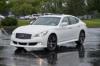
say i have a picture of my car and i want to black/white the background but keep the colors of the car..how do i do that on photoshop?
like this one

like this one

Joined: Feb 2007
Posts: 121
Likes: 0
From: Right Here, SC, USA
Re: How do i do this on photoshop? (TOO MUCH TORQUE)
thats my favorite pic from hasback....
but i dont have photoshop...just microsoft digital image but close to it i guess
what i do is select the free hand tool and go around the car...then after the car is selected, copy and paste and dont touch it.....i have an option that is called emphasize and it gives a choice of black and white background and many others....hope this helps out a lil bit
but i dont have photoshop...just microsoft digital image but close to it i guess
what i do is select the free hand tool and go around the car...then after the car is selected, copy and paste and dont touch it.....i have an option that is called emphasize and it gives a choice of black and white background and many others....hope this helps out a lil bit

Honda-Tech Member
Joined: Feb 2007
Posts: 4,399
Likes: 2
From: in the sticks
Re: (WhiteOnRice)
<TABLE WIDTH="90%" CELLSPACING=0 CELLPADDING=0 ALIGN=CENTER><TR><TD>Quote, originally posted by WhiteOnRice »</TD></TR><TR><TD CLASS="quote">I could do that in paint...</TD></TR></TABLE>
how?
how?


Honda-Tech Member
Joined: Nov 2005
Posts: 441
Likes: 0
From: driving around, Texas, United States
Re: (MR.johnson)
<TABLE WIDTH="90%" CELLSPACING=0 CELLPADDING=0 ALIGN=CENTER><TR><TD>Quote, originally posted by MR.johnson »</TD></TR><TR><TD CLASS="quote">
how?</TD></TR></TABLE>
x2
how?</TD></TR></TABLE>
x2
Trending Topics

Member
Joined: Sep 2003
Posts: 1,371
Likes: 0
From: 4TEN, USA
take the pic and put it in black and white, save it, close it then open it back up and change the mode to RGB color, save the black and white image in RBG mode, open the original and paste it on top and then use the history brush to erase everything you dont want in color

Honda-Tech Member
Joined: Jul 2005
Posts: 4,971
Likes: 1
From: Wisconsin
How to do this with only MS Paint and MS Word:
1. Copy the part you want to keep in color. Paste into another paint program.
2. Copy and paste the original image in Word.
3. Change the image to grayscale in Word (paint won't let you go back to color).
4. Copy and paste grayscaled image into Paint.
5. Paste the colored part onto the grayscaled image. Line it up perfect and it's done.
I played around on Paint during school... a lot. We used to make skateboard animations with paint and PowerPoint.
1. Copy the part you want to keep in color. Paste into another paint program.
2. Copy and paste the original image in Word.
3. Change the image to grayscale in Word (paint won't let you go back to color).
4. Copy and paste grayscaled image into Paint.
5. Paste the colored part onto the grayscaled image. Line it up perfect and it's done.
I played around on Paint during school... a lot. We used to make skateboard animations with paint and PowerPoint.


Honda-Tech Member
Joined: Jan 2006
Posts: 7,613
Likes: 0
From: Long Island, NY, USA
Re: (xplicit ef)
<TABLE WIDTH="90%" CELLSPACING=0 CELLPADDING=0 ALIGN=CENTER><TR><TD>Quote, originally posted by xplicit ef »</TD></TR><TR><TD CLASS="quote">selective saturation, free hand tool and then hue/saturation</TD></TR></TABLE>
select whatever you want to keep the color of, then right click and click select inverse, then the rest of the picture will be selected, then go to hue/saturation level and adjust the saturation of the picture
select whatever you want to keep the color of, then right click and click select inverse, then the rest of the picture will be selected, then go to hue/saturation level and adjust the saturation of the picture
Joined: Feb 2007
Posts: 121
Likes: 0
From: Right Here, SC, USA
Re: (xplicit ef)
https://honda-tech.com/zerothread?id=1093464&page=1
this will help...close to the bottom of the page
this will help...close to the bottom of the page
Thread Starter
Honda-Tech Member
Joined: Nov 2006
Posts: 2,005
Likes: 3
From: California
Re: (mister_ej1)
<TABLE WIDTH="90%" CELLSPACING=0 CELLPADDING=0 ALIGN=CENTER><TR><TD>Quote, originally posted by mister_ej1 »</TD></TR><TR><TD CLASS="quote">https://honda-tech.com/zerothread?id=1093464&page=1
this will help...close to the bottom of the page</TD></TR></TABLE>
thanks but i figured it out just before i saw your post
this will help...close to the bottom of the page</TD></TR></TABLE>
thanks but i figured it out just before i saw your post

Thread
Thread Starter
Forum
Replies
Last Post
mkinpwrat12g's
Honda / Acura
2
Sep 2, 2005 09:16 AM
SPORT INJECTION
Honda / Acura
41
May 29, 2005 11:15 PM
1quickcrx
Honda CRX / EF Civic (1988 - 1991)
18
Feb 4, 2005 04:37 PM