


need help with some photoshop stuff..


Thread Starter
Honda-Tech Member
Joined: Apr 2005
Posts: 2,188
Likes: 0
From: Bay Area, CA
 need help with some photoshop stuff..
just went out and took some shot of my dc2..
and im not really good with photoshop.
this is what i did . before & after
please try to photoshop it .. and tell me what u did to it. please help !!
if u are very good at photoshop! that would be great !!
any help would be nice too.
BEFORE
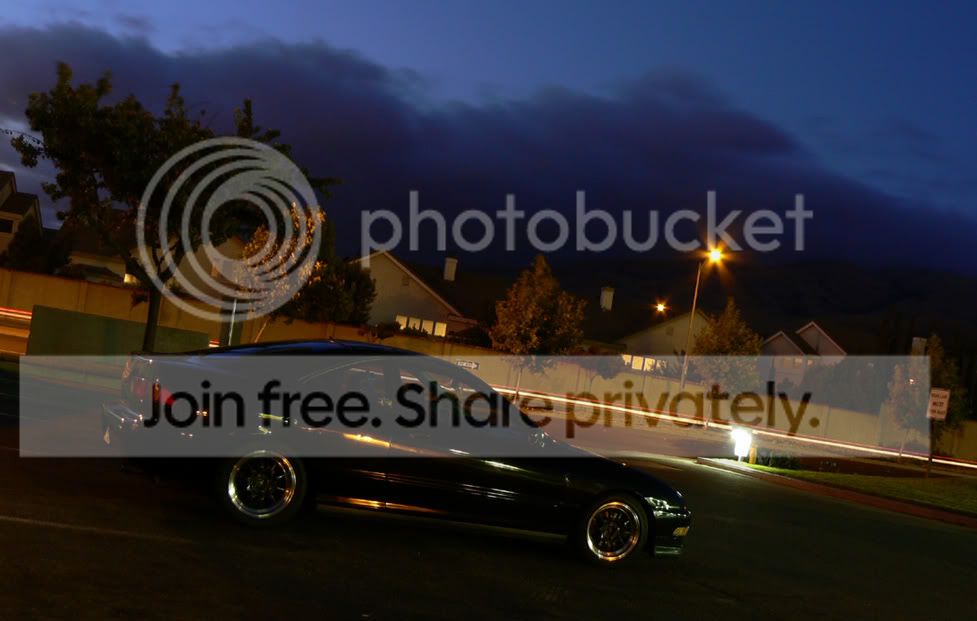
AFTER

and im not really good with photoshop.
this is what i did . before & after
please try to photoshop it .. and tell me what u did to it. please help !!
if u are very good at photoshop! that would be great !!
any help would be nice too.
BEFORE
AFTER


Honda-Tech Member
Joined: May 2004
Posts: 3,003
Likes: 0
From: N. Indiana
Re: (aandrewcc)
maybe we can get a decent thread going.
I always use auto color/auto contrast and sharpen image. too much sharpening will affect the way your pics appear when on different monitors. I did some sharpening on my computer, looked awsome. on my work computer it looked like absolute as$.
whats everyone else's ways of photochoping.
I always use auto color/auto contrast and sharpen image. too much sharpening will affect the way your pics appear when on different monitors. I did some sharpening on my computer, looked awsome. on my work computer it looked like absolute as$.
whats everyone else's ways of photochoping.
Thread Starter
Honda-Tech Member
Joined: Apr 2005
Posts: 2,188
Likes: 0
From: Bay Area, CA
Re: (txhatch)
<TABLE WIDTH="90%" CELLSPACING=0 CELLPADDING=0 ALIGN=CENTER><TR><TD>Quote, originally posted by junkyard racer »</TD></TR><TR><TD CLASS="quote">maybe we can get a decent thread going.
I always use auto color/auto contrast and sharpen image. too much sharpening will affect the way your pics appear when on different monitors. I did some sharpening on my computer, looked awsome. on my work computer it looked like absolute as$.
whats everyone else's ways of photochoping. </TD></TR></TABLE>
yes i felt the same way..
<TABLE WIDTH="90%" CELLSPACING=0 CELLPADDING=0 ALIGN=CENTER><TR><TD>Quote, originally posted by txhatch »</TD></TR><TR><TD CLASS="quote">I touched it up a little.
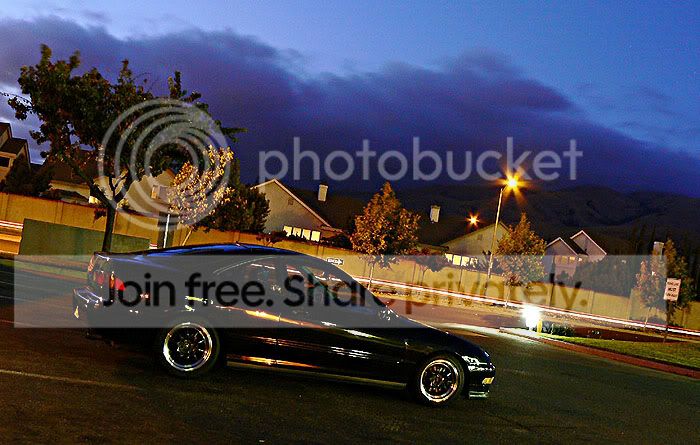 </TD></TR></TABLE>
what did u done to it ??
I always use auto color/auto contrast and sharpen image. too much sharpening will affect the way your pics appear when on different monitors. I did some sharpening on my computer, looked awsome. on my work computer it looked like absolute as$.
whats everyone else's ways of photochoping. </TD></TR></TABLE>
yes i felt the same way..
<TABLE WIDTH="90%" CELLSPACING=0 CELLPADDING=0 ALIGN=CENTER><TR><TD>Quote, originally posted by txhatch »</TD></TR><TR><TD CLASS="quote">I touched it up a little.
</TD></TR></TABLE>what did u done to it ??
Trending Topics

Honda-Tech Member
Joined: Jan 2002
Posts: 1,983
Likes: 0
From: tx
Re: (aandrewcc)
-auto levels
-layer>duplicate layer>blending options>changed normal to screen. (helps fix underexposed images)
-resized
-unsharp mask>sharpen edges
If i had noise ninja i would have used it to reduce the noise.
-layer>duplicate layer>blending options>changed normal to screen. (helps fix underexposed images)
-resized
-unsharp mask>sharpen edges
If i had noise ninja i would have used it to reduce the noise.


Junior Member
Joined: Jan 2006
Posts: 820
Likes: 0
From: Paducah, KY, USA
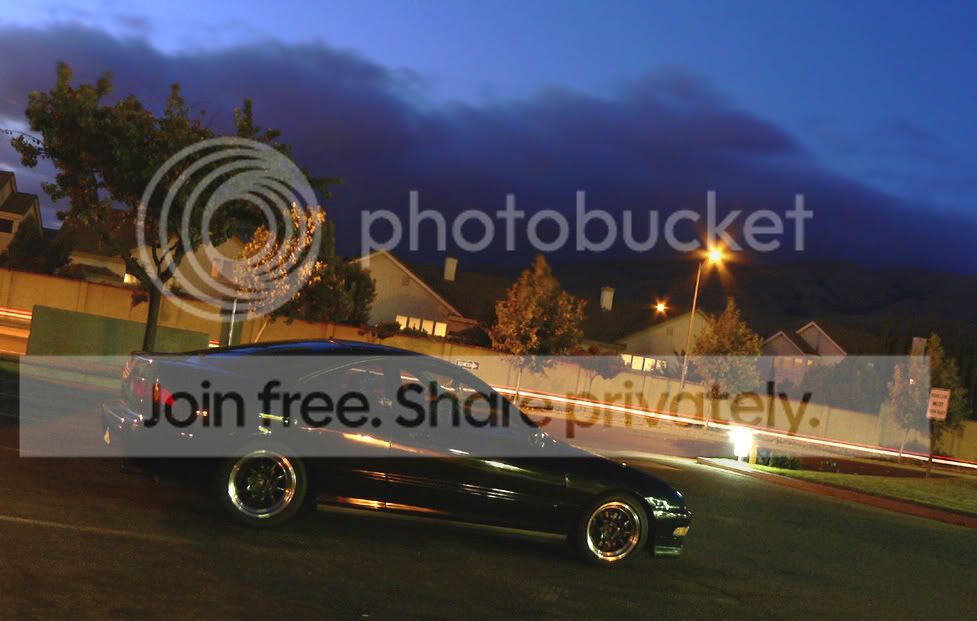
CHANGES:
levels (output 35 - 255)
contrast (30)
saturation (15)
unsharpmask (100 - .5 - 25)
Selective Color (yellows (black -30)
I also took the blur tool and blurred some of the noise in the clouds.
Result:
levels (output 35 - 255)
contrast (30)
saturation (15)
unsharpmask (100 - .5 - 25)
Selective Color (yellows (black -30)
I also took the blur tool and blurred some of the noise in the clouds.
Result:

Thread
Thread Starter
Forum
Replies
Last Post