


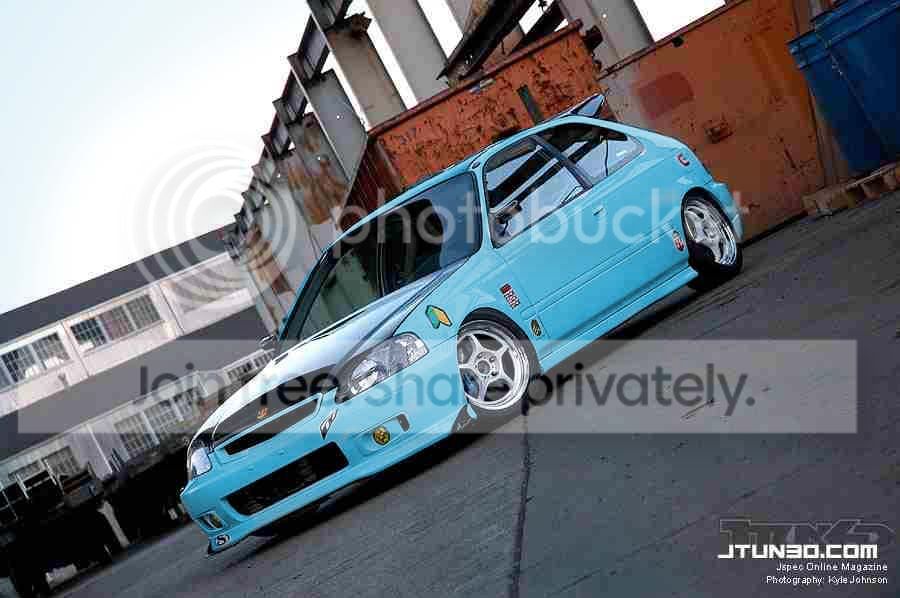
can someone plz photoshop this ek for me!


Trial User
Joined: Jun 2004
Posts: 4,102
Likes: 0
 Re: can someone plz photoshop this ek for me! (athbaseball23)
<TABLE WIDTH="90%" CELLSPACING=0 CELLPADDING=0 ALIGN=CENTER><TR><TD>Quote, originally posted by athbaseball23 »</TD></TR><TR><TD CLASS="quote">how do you change the color completely like that? Im just starting on photoshop 7.0</TD></TR></TABLE>
how about in 5.0
how about in 5.0

Junior Member
Joined: Jun 2002
Posts: 817
Likes: 0
From: newport news, va, usa
Re: can someone plz photoshop this ek for me! (athbaseball23)
<TABLE WIDTH="90%" CELLSPACING=0 CELLPADDING=0 ALIGN=CENTER><TR><TD>Quote, originally posted by athbaseball23 »</TD></TR><TR><TD CLASS="quote">how do you change the color completely like that? Im just starting on photoshop 7.0</TD></TR></TABLE>
id also like to know this
id also like to know this

Trending Topics


Honda-Tech Member
Joined: Aug 2004
Posts: 1,353
Likes: 1
From: Grosse Pointe Woods/Ann Arbor, MI, USA
I have no idea how he did it, but he's a really smart kid (we got the same genes LOL).... and he's only 14.... he's been saving up since he was 12 and just bought a EK hatch w/out en engine to start modding (with the help of my dad)  ...
...
...

Honda-Tech Member
Joined: May 2002
Posts: 4,365
Likes: 1
From: TX, USA


Honda-Tech Member
Joined: Jul 2002
Posts: 1,079
Likes: 0
From: Canada
Re: (DJ_SaNdOz)
<TABLE WIDTH="90%" CELLSPACING=0 CELLPADDING=0 ALIGN=CENTER><TR><TD>Quote, originally posted by DJ_SaNdOz »</TD></TR><TR><TD CLASS="quote">http://www.digimods.co.uk/tutorials/tutorials.htm</TD></TR></TABLE>
There's an easier way to do it, particularly on a white car.
Magic wand, and hold Shift to add parts to it. Once you have selected most of the painted areas of the car, go around and fix the edges with a Lasso tool (Magnetic is best for this), then go to Variations, choose the colour you want, and done.
There's an easier way to do it, particularly on a white car.
Magic wand, and hold Shift to add parts to it. Once you have selected most of the painted areas of the car, go around and fix the edges with a Lasso tool (Magnetic is best for this), then go to Variations, choose the colour you want, and done.



Thread
Thread Starter
Forum
Replies
Last Post